WestchesterAI

Your client can change it without calling anyone.

Quillmoor Garden Design shows what your agency gets when you hand us a finished design: a real WordPress site your client edits by logging in, with no paid page builder.

Quillmoor is a fictional studio. We made it up for this project, and its photos are generated concept images. The site’s footer says so too.

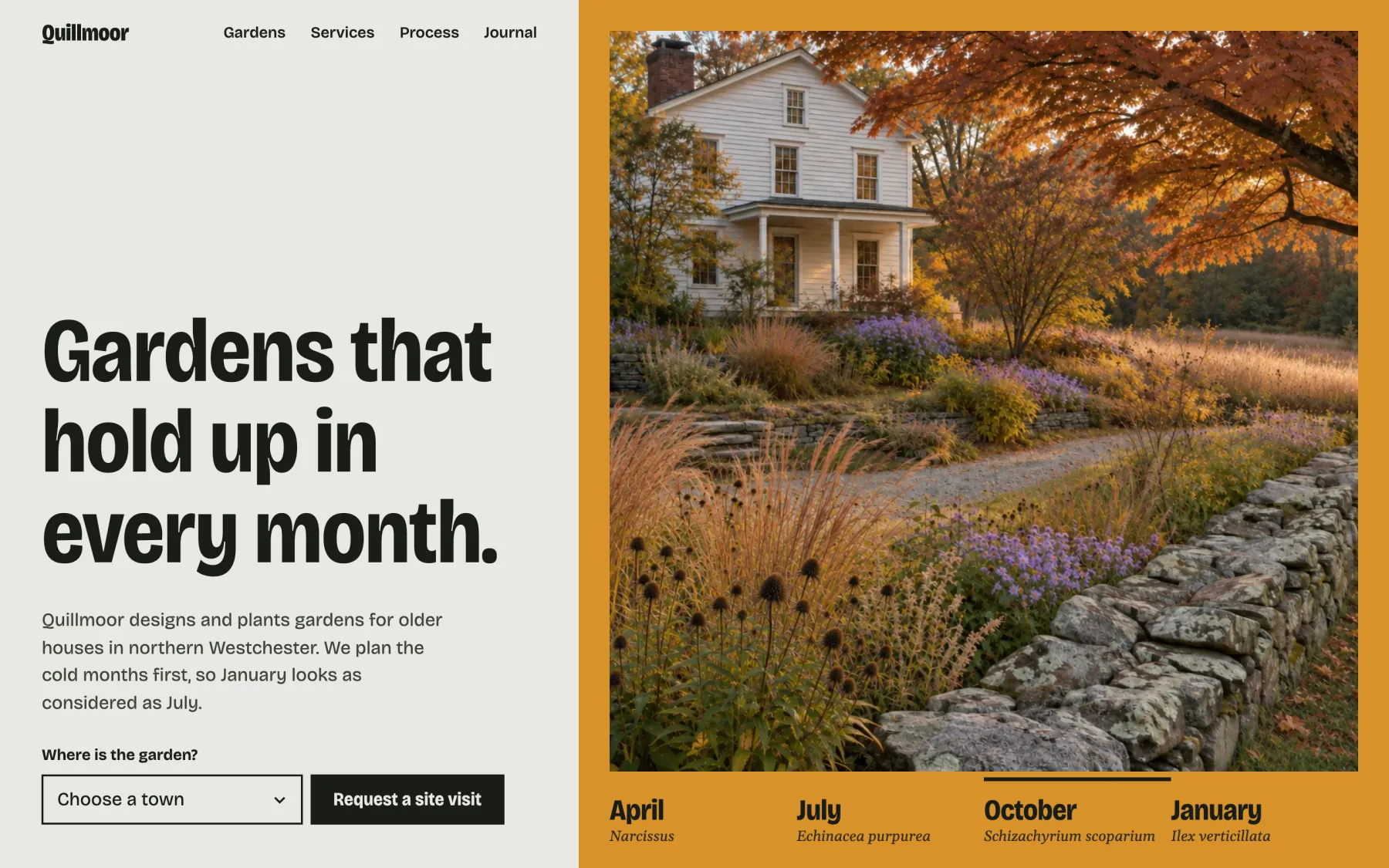
The Quillmoor Garden Design home page: the headline Gardens that hold up in every month beside one garden photo in an ochre color field, with a four-season strip below the photo.
The Quillmoor Home page at desktop width.

You send the design. Your client gets a site they can keep up themselves.

We build it as a modern WordPress site. Every page opens in the standard editor, new garden projects go in through a plain form, and there is no paid page builder underneath to renew or work around.

  1. Before

    A finished design, and a client who will want to change things after launch.

  2. Built

    A WordPress block theme, a small companion plugin and four custom blocks.

  3. Now

    Your client logs in and makes the change.

  • No paid page builder

    Every page edits in the standard WordPress editor: Pages, then Home.

  • New projects from a form

    A plain Garden details panel in the editor, with no code to touch.

  • A theme change keeps the content

    Garden projects, site-visit requests and custom blocks live in a small plugin, apart from the theme.

This is what your client sees after logging in.

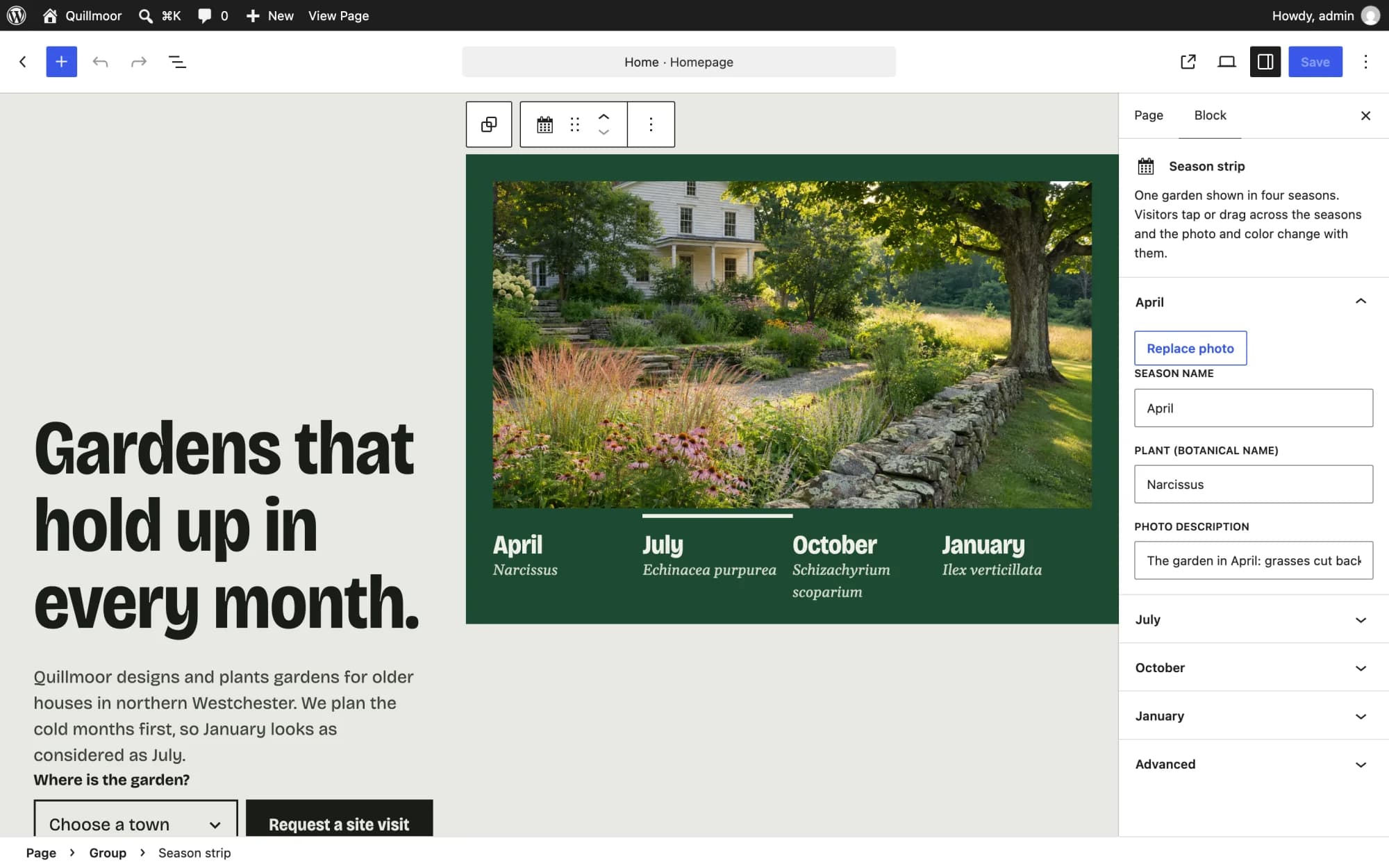
The design is right there on the screen, inside the standard WordPress editor. The Home page opens with no invalid-block warnings, so nobody is greeted by a message asking them to fix something they didn’t break.

  1. Log in

    The normal WordPress login.

  2. Pages, then Home

    Every page on the site opens the same way.

  3. Change what needs changing

    Type over the words. Click a block and its settings open in the sidebar.

  4. Save

    The page on the site updates.

The logged-in WordPress editor showing the Quillmoor Home page as it looks on the site. The season strip is selected, and the sidebar lists its April photo, season name, plant and photo description.
The Home page in the WordPress editor, with the season strip selected. Each season’s photo, name and plant are in the sidebar.

Adding a project means filling in a form.

Garden projects are their own content type, with a plain Garden details panel in the editor: town, size, signature plant, best month and season color. We changed a town in that panel and saw it update on the live page.
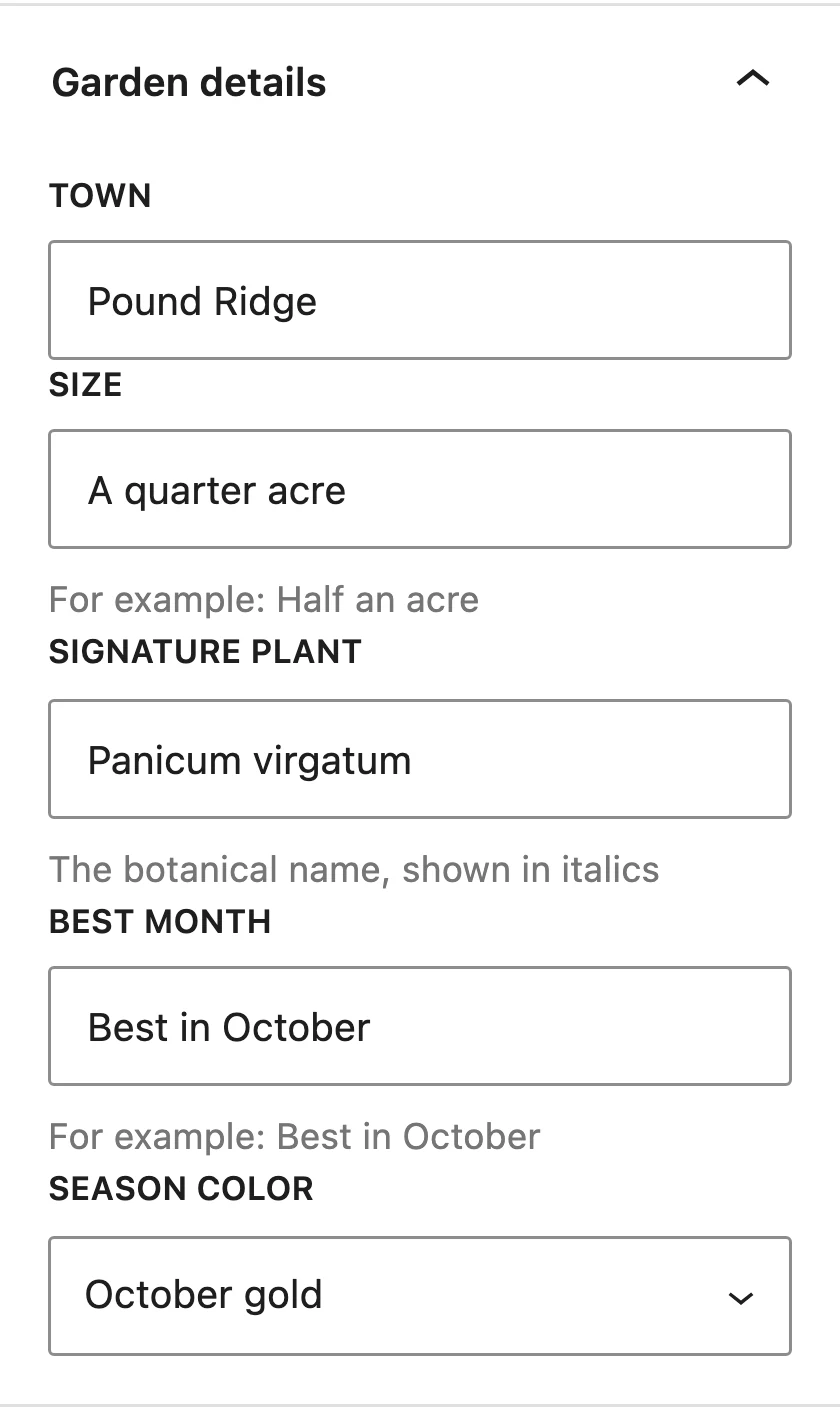
The Garden details panel in the WordPress editor, with fields for town, size, signature plant, best month and season color, filled in for the Pound Ridge project.
The Garden details panel for the Pound Ridge project.
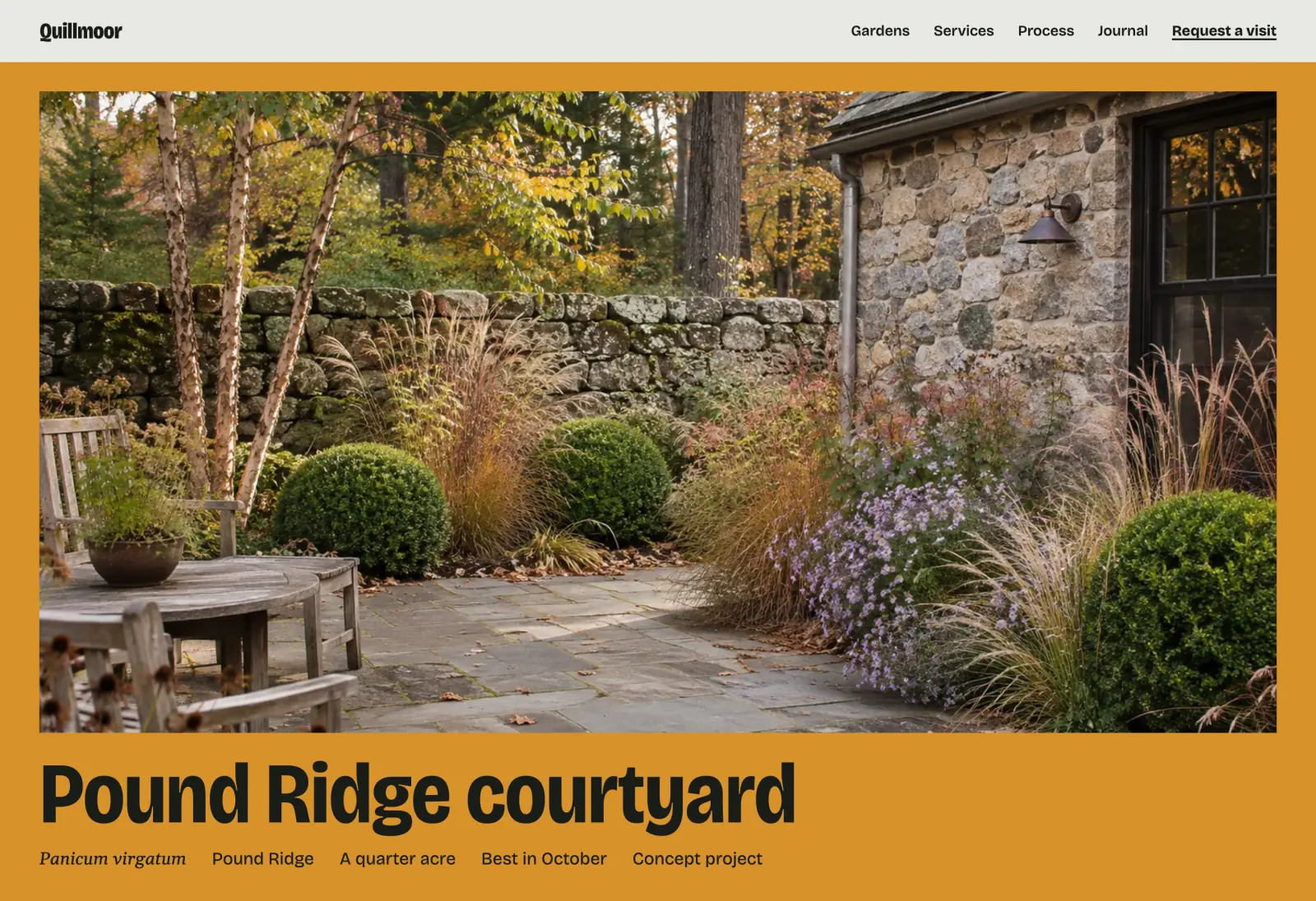
The Pound Ridge courtyard project page on the site: a garden photo in an ochre color field, the project title, and a line of details including Pound Ridge, A quarter acre, Best in October and Concept project.
The same project on the site. The plant, town, size and best month under the title come from the panel.

The planting chart edits from the sidebar.

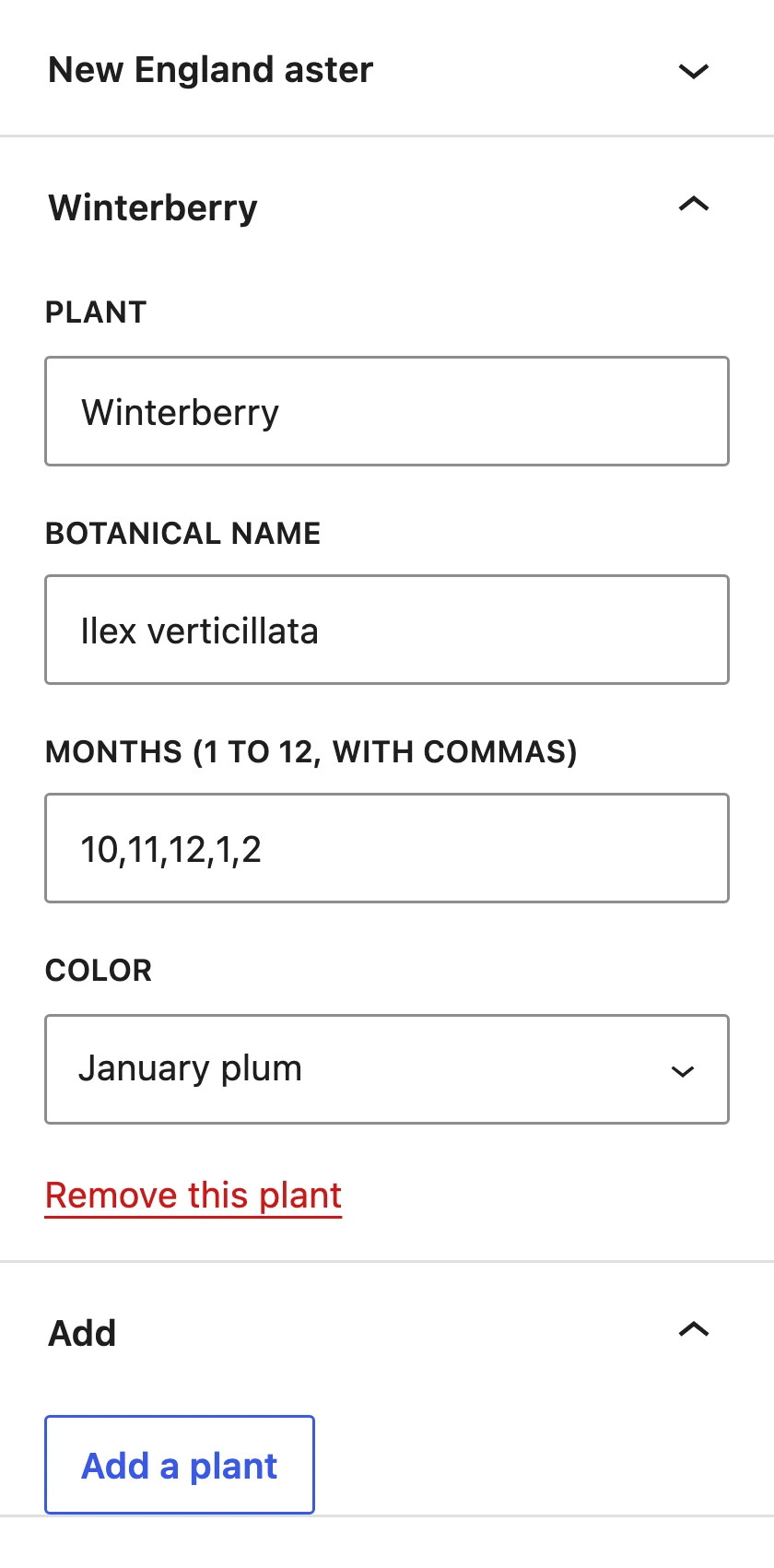
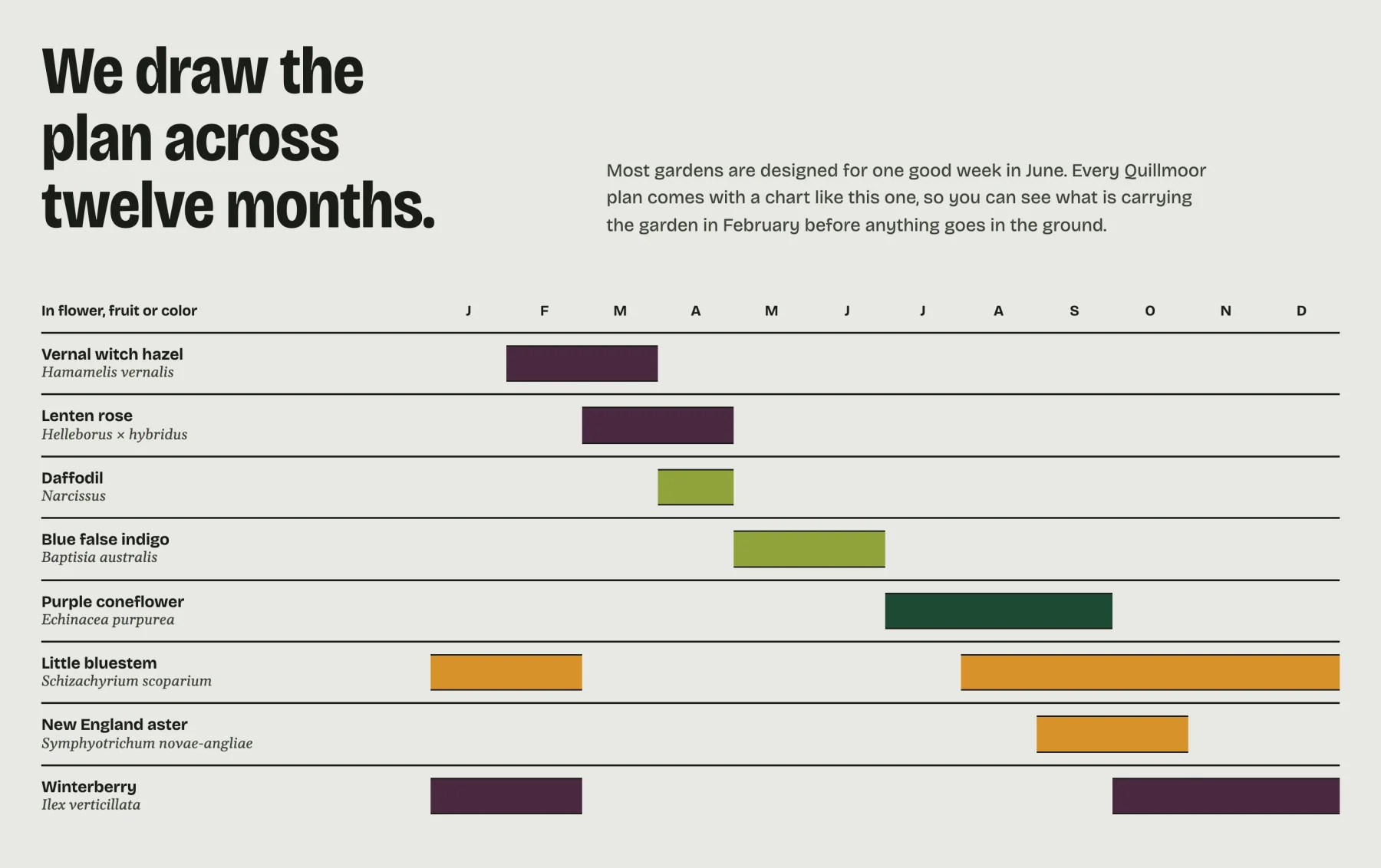
The chart is a real, accessible table. In the editor, each plant has its own row in the sidebar for its name, botanical name, months and color, with an Add a plant button at the bottom.

The planting chart settings in the WordPress sidebar, with Winterberry open: plant, botanical name, months and color fields, a Remove this plant link and an Add a plant button.
One plant open in the sidebar.
The twelve-month planting chart on the Quillmoor Home page: eight plants down the side, the months across the top, and colored bars showing when each one is in flower, fruit or color.
The chart on the Home page.

The design’s signature piece is a block, too.

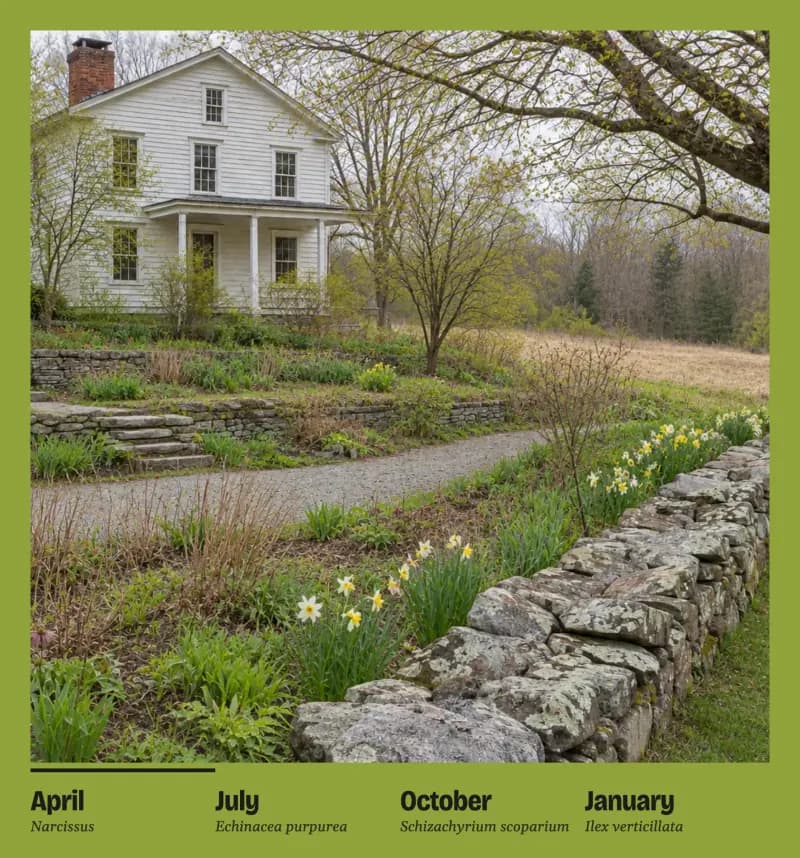
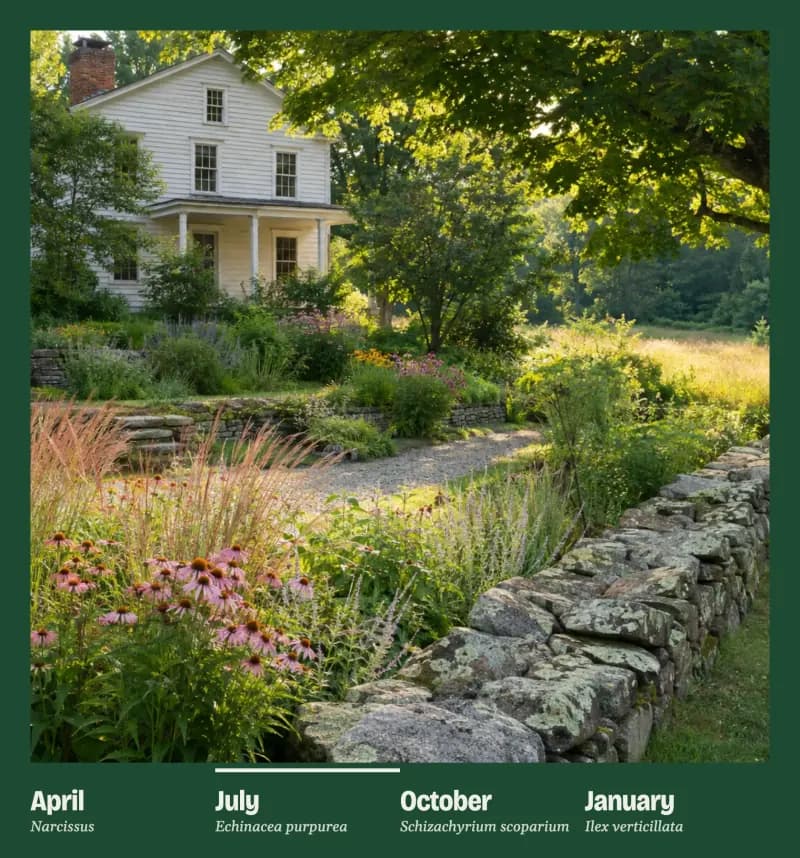
The season strip shows one garden in four seasons. Tap or drag across it and the photo and the color change together. It is one of four custom blocks built for this site.

The season strip set to April: the garden with its grasses cut back and daffodils along the stone wall, in a bright green color field.
April
The same garden in July: full growth and coneflowers in bloom, in a deep green color field.
July
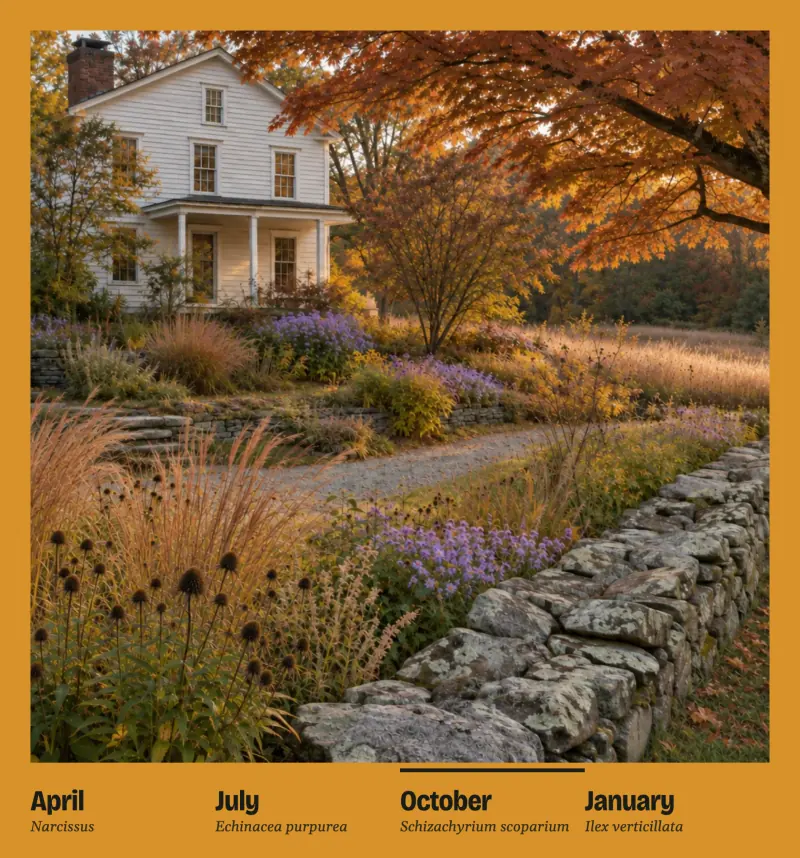
The same garden in October: an orange maple and copper grasses, in an ochre color field.
October
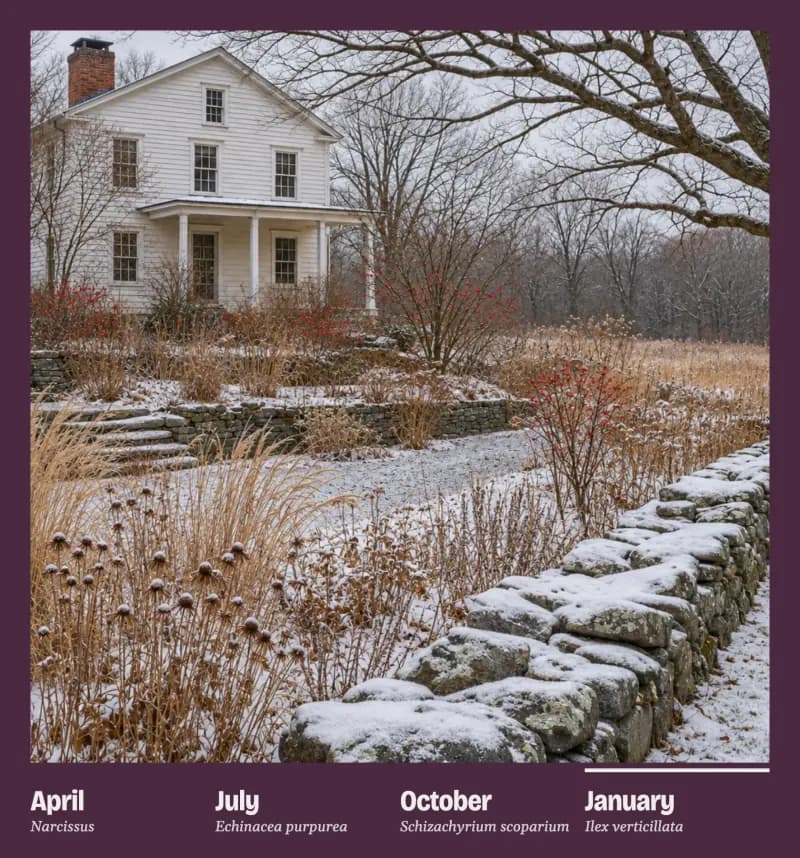
The same garden in January: light snow with seedheads left standing, in a plum color field.
January
  • Season strip

    The piece above. Its photos, season names and plant names sit in the sidebar.

  • Twelve-month planting chart

    A real, accessible table, editable from the sidebar.

  • Site-visit town picker

    Visitors choose a town, and the request form opens with it filled in.

  • Site-visit form

    Required-field messages appear inline, and requests are saved in the dashboard.

Checked at phone, tablet and desktop widths.

A separate reviewer went through the site before we called it finished, and we applied the fixes.

  • No sideways scroll

  • Keyboard focus visible on every color field

  • Text contrast computed on every color field

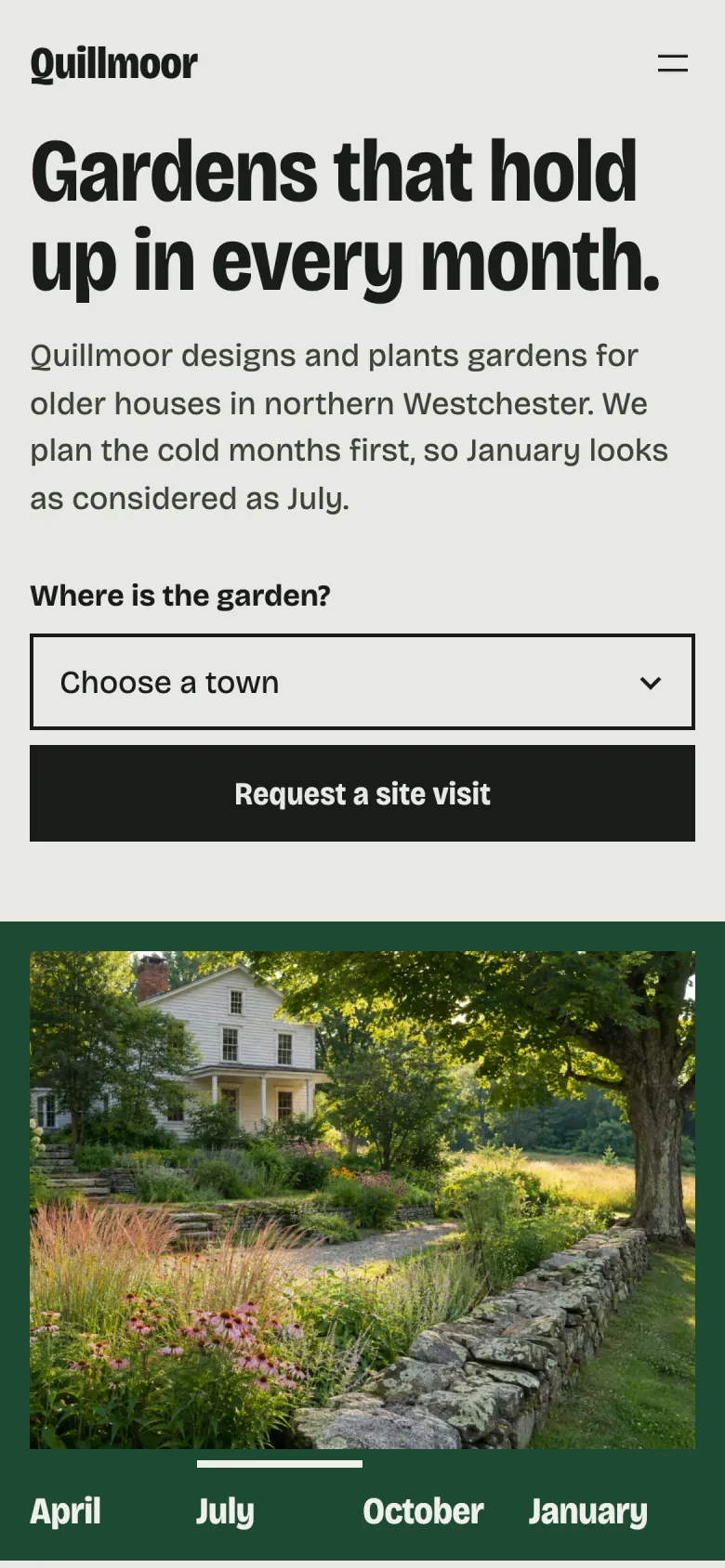
The Quillmoor home page on a phone: the headline, the town picker, and the garden photo with its season strip below.

The Home page on a phone.

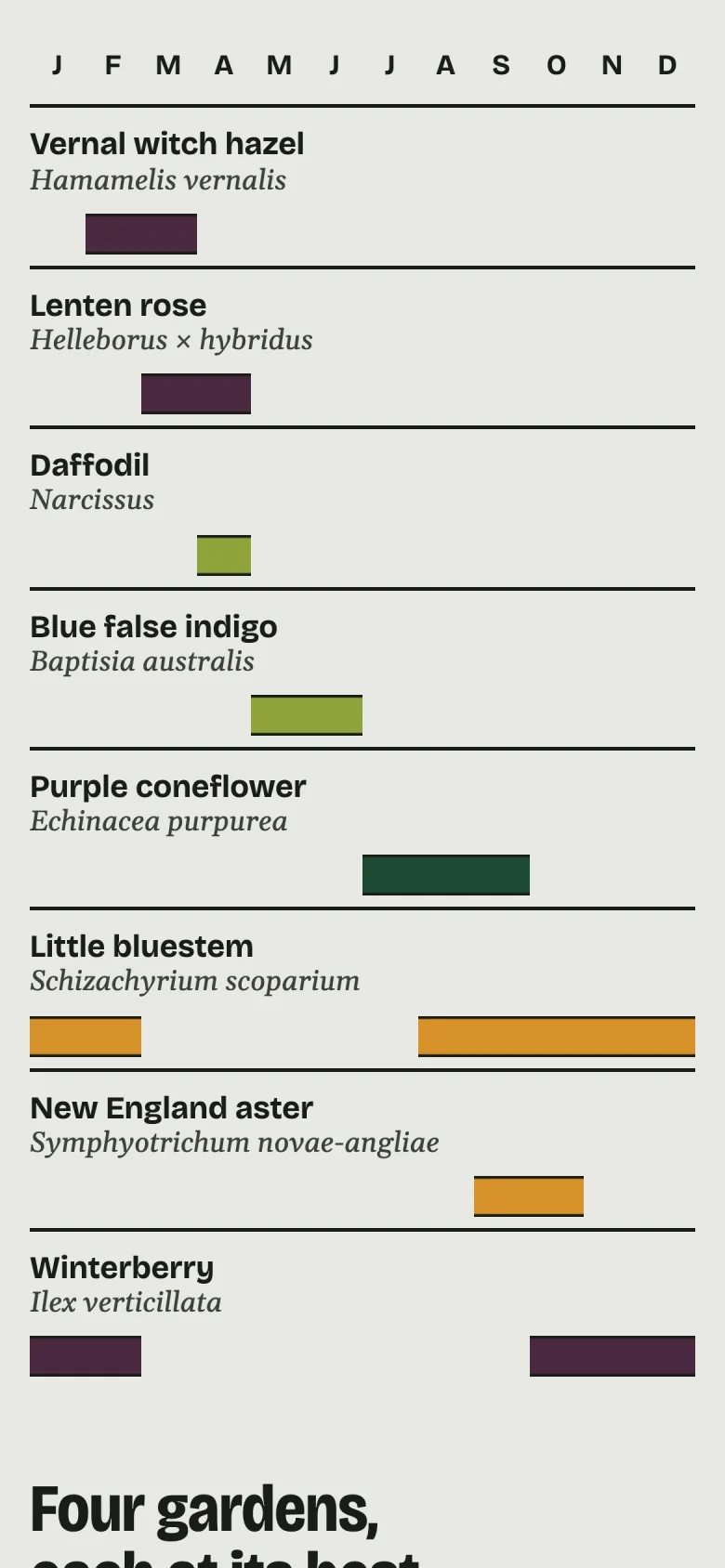
The twelve-month planting chart on a phone, with each plant name stacked above its row of months.

The planting chart on a phone, with each plant stacked above its months.

A new theme won’t take the content with it.

Quillmoor runs on a modern WordPress block theme plus a small companion plugin. The theme handles the look. The garden projects, site-visit requests and custom blocks live in the plugin, so the content survives a theme change.

Requests land in the dashboard.

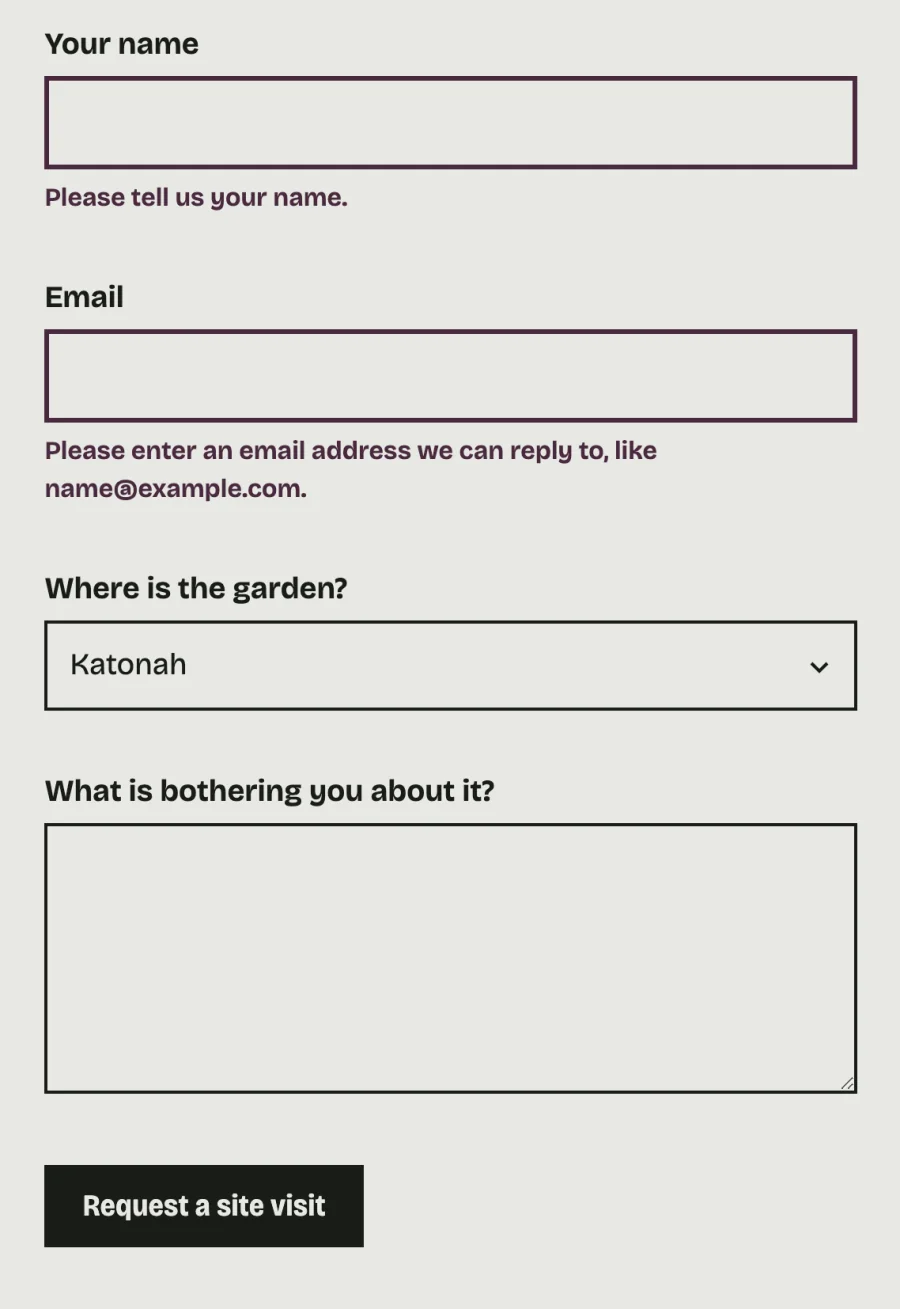
The site-visit form shows required-field messages inline, right under the field that needs fixing, and a spam honeypot sits behind it with no puzzle for visitors to solve.

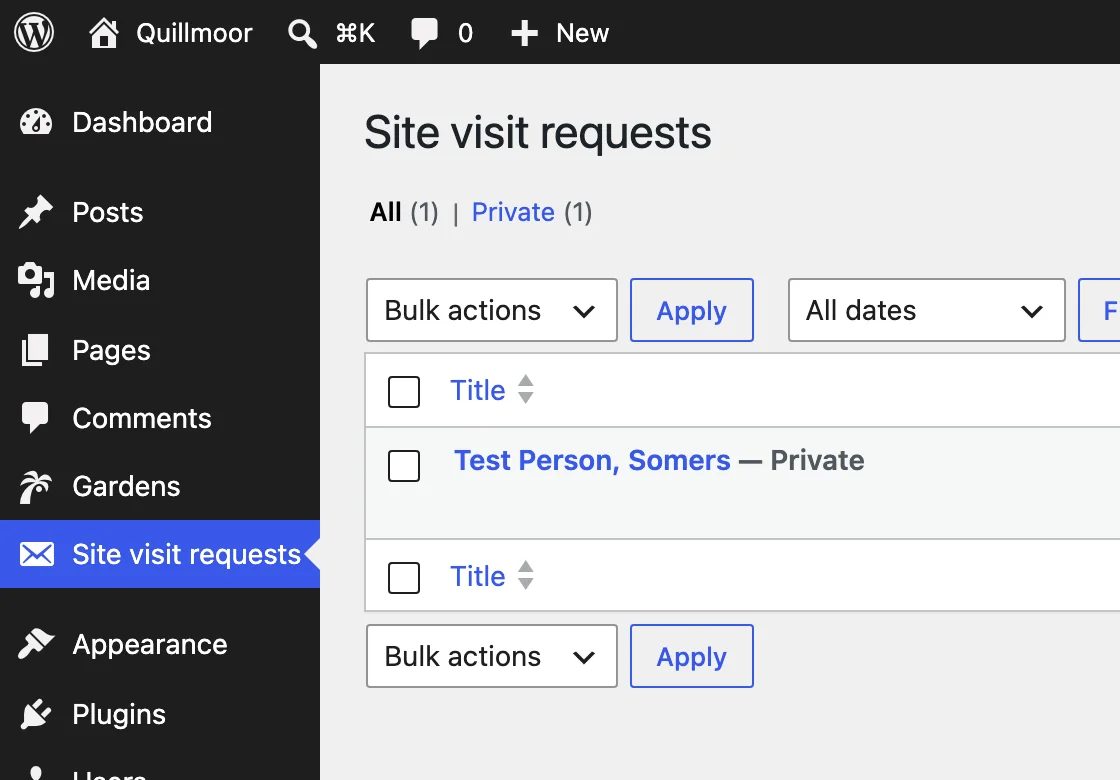
Each request is saved in the dashboard and emailed to the site admin, so there is a record in WordPress no matter what happens to the inbox.

The site-visit form after an empty submit: inline messages under the name and email fields, and Katonah already chosen as the town.
The form after an empty submit, with Katonah carried over from the town picker.
The WordPress dashboard open to Site visit requests, listing one saved test request, with Pages and Gardens in the menu beside it.
A test request saved in the dashboard. Gardens and Site visit requests sit in the normal WordPress menu.

The test of a handoff is the first small change.

Sooner or later your client needs a new photo or a new project on the site. If that takes a call, the site keeps costing your team time after launch. Quillmoor puts those changes in the normal WordPress screens, where your client can make them without you.

Have a finished design that needs building?

Start with one scoped, paid assignment. You keep the client relationship, and we agree on the deliverables, price and date in writing before any work starts.

Next availableWestchester County, NY
  • 15 MINIntro callFree. Pick a time that suits you online.
  • CALLCall or text Alex(914) 361-9414
  • 1 DAYWritten replyWe aim to answer messages within one business day.